Trail Tracker
October 24, 2022
Connect your Strava account to find out how much you’ve done of these long distance trails.
Check out the app at https://trail-tracker.vercel.app/.
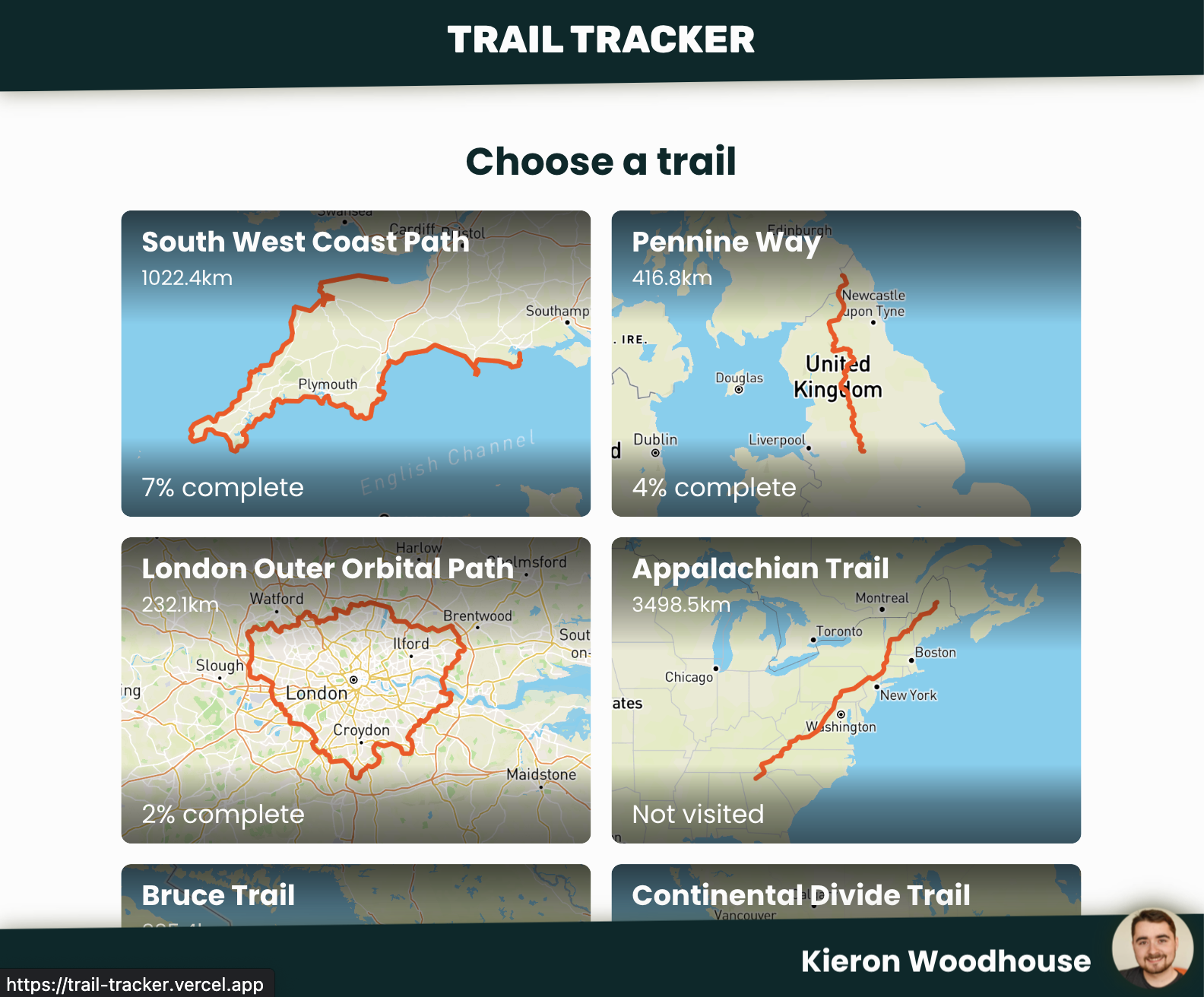
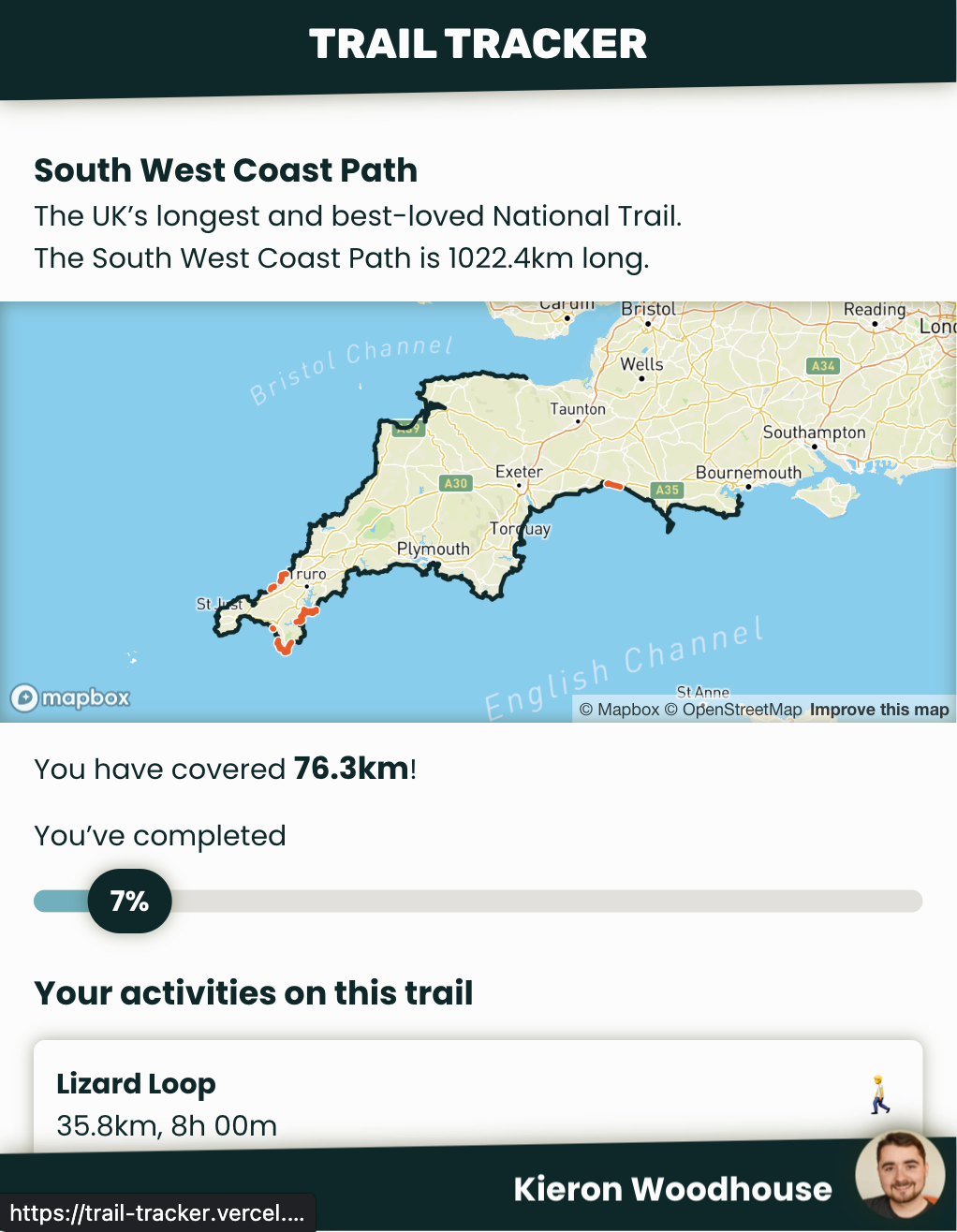
Trail Tracker came about because I wanted to answer one simple question:
How much of the South West Coast Path have I walked and ran?
The South West Coast Path is the UK’s longest trail, and I knew I’d been along various sections of it, but I was curious to know exactly how much. The traditional way to figure that out is sitting down with a map and remembering where you’ve been.
But… most of my walks and runs already have GPS tracks recorded on my Garmin watch, which uploads to Strava. Strava have some APIs for accessing this data, so I figured I could write a script to do the calculation and plot a map automatically. After a bit of hacking, I figured out how to do it.
I thought this was neat, so I set to work turning it into the ‘production’ version you see today.
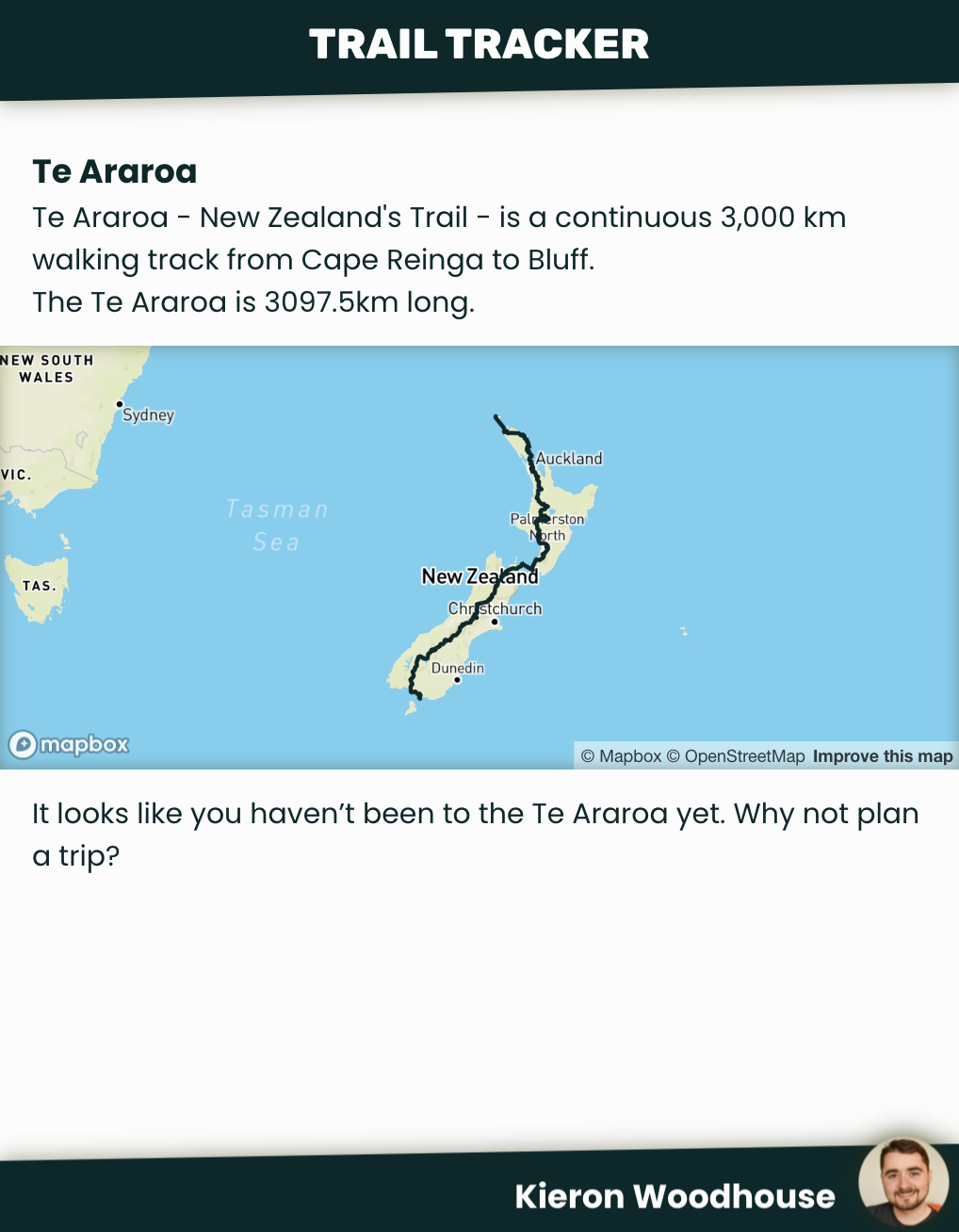
If you check it out but find you want to see a trail that isn’t on there, just drop me an email at kieron.woodhouse@yahoo.co.uk and if I can find a suitable GPS track to download (like a GPX file), I can add it.
The making of Trail Tracker
At first, I thought this project would be really simple. Surely I can just download the activities from Strava, use some library to compare them to a GPX file for the South West Coast Path, then plot them with some mapping library. I mean, it more or less does do that, but it’s glossing over a lot of issues that had to be overcome.
Background
Let’s start with some useful background information. If you’d rather just get on with it, skip ahead to Answering the question.
What is a GPS track?
At it’s most simple, a GPS track is a series of coordinates, usually given as latitude and longitude. Plot those points in order and you can see the line an athlete followed while going about their activity.
The way most GPS watches and tracking apps (like Strava) work is to keep listening for GPS signals, and recording its best guess of your location. Each point can be considered a sample.
Sampling rate varies a lot. Some devices regularly take several samples per second. Garmin watches have a mode that only samples once per minute to save power. Most devices these days will sample more frequently when they are expecting changes in speed or direction. This preserves accuracy when it’s needed, while reducing the overall file size of a GPS track, and can take advantage of the range of other sensors these devices usually come with.
Since sampling rate varies, samples usually also have a timestamp, and can have additional data associated with them too, like the athlete’s heart rate.
All this data usually has to be stored in a file. The most common file formats I’ve seen are GPX (GPS Exchange Format), Garmin’s FIT Activity Files (Flexible and Interoperable Data Transfer) and a few others like TCX (Training Center XML) (also Garmin) or Google’s KML (Keyhole Markup Language)). Many of these are based on XML.
All of this data is considered geographical information - which brings us onto GIS.
What is GIS?
GIS stands for Geographical Information System. It’s generally considered to be a database that can store and process geographical data - broadly, data that’s associated with physical locations. Our GPS data falls neatly into this category, so we can use existing GIS tools to solve our problem.
Particularly useful for developers, there are many GIS extensions available for common databases. For example, PostGIS, which is an extension for the PostgreSQL database, or SpatialLite, an extension for SQLite.
Some GISs come with front ends for working with all of that data. For example, QGIS is a powerful free option, or I think ArcGIS is a widely used paid option.
Right, back to the main topic.
Answering the question
There are three major problems to solve to answer our question - how much have we done of a certain trail?
-
Getting activity tracks from Strava
-
Comparing those tracks to our trail
-
Displaying the results
I won’t go into great detail about every little thing or this post will end up far too long, but we can take a look at some of the most interesting issues I faced in each area.
Strava API
Implementing OAuth and starting to call Strava’s API was actually pretty straightforward. They have fairly good API documentation.
When it comes to getting the activity track, you may be wondering whether you can get the original .fit or .gpx file back from Strava’s API. It turns out you can’t. Strava do some processing on uploaded activities, and the only way to get the full activity data is with their ‘streams’ abstraction. Call GET /activities/{id}/streams?keys=latlng&key_by_type and Strava will return an array of latitude / longitude coordinates.
…making one API call per activity means it would take nearly an hour and a half just to be able to import all my activities.
Herein lies our first major problem - this requires an API call for each activity. But Strava impose some pretty harsh rate limits. By default, you can only make 100 requests every 15 minutes, or 1,000 daily. My Strava account already has over 500 activities, so making one API call per activity means it would take nearly an hour and a half just to be able to import all my activities. For just one user!
Luckily, I stumbled across another way to get activity tracks while playing with the API.
When listing activities, Strava shows a little map.
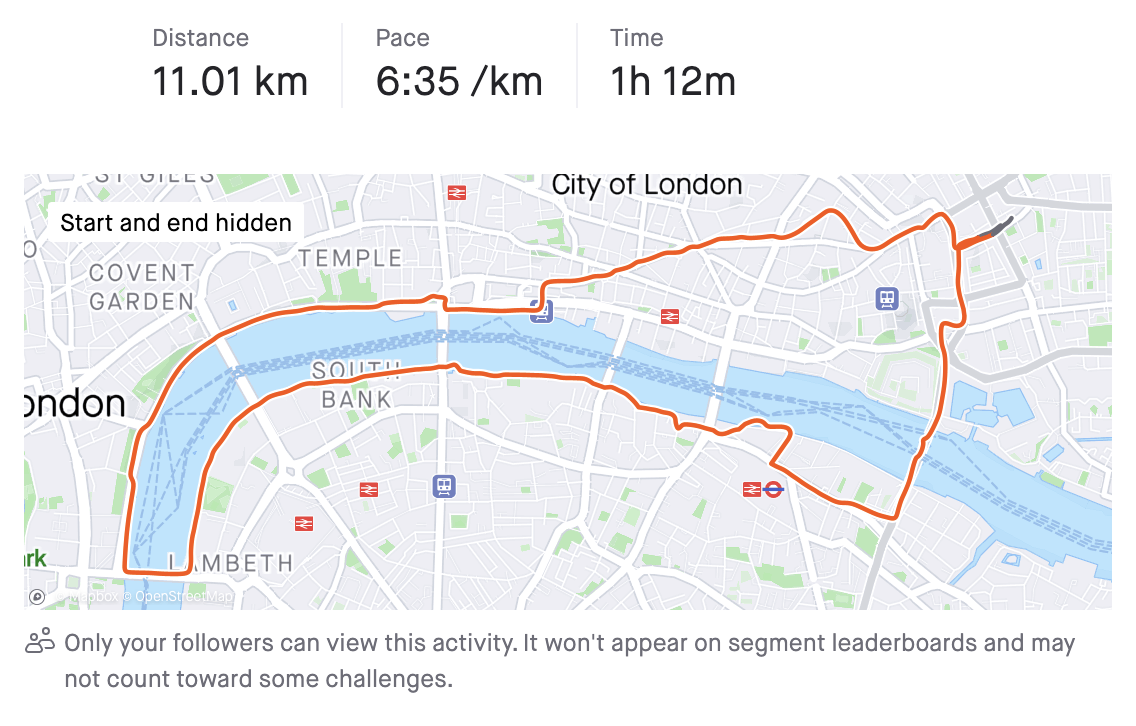
It turns out the GET /athlete/activities endpoint includes a map field, which includes a summary of the activity’s GPS track, encoded as a polyline.
This endpoint can return up to 200 activities at a time, and the polyline format is relatively efficient. It’s not designed to give us full detail of the activity, but it still gives us enough to work with, and reduces the number of API requests we’d need to make by two orders of magnitude!
Geographical processing
So now we have our activity data, we can process it - comparing it to the track of our long distance trail to see which sections have been covered.
Immediately, we have a problem. There’s no meaningful way to directly compare two GPS tracks. Look at these two images:
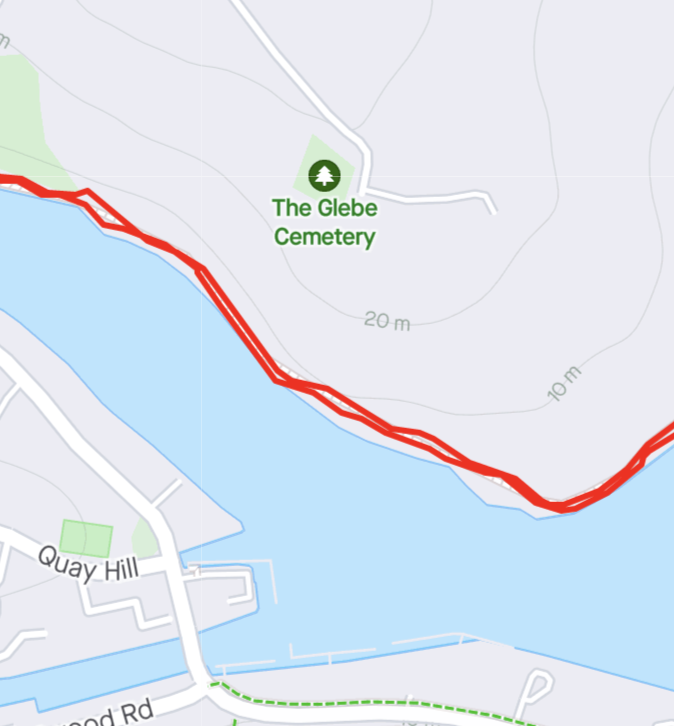
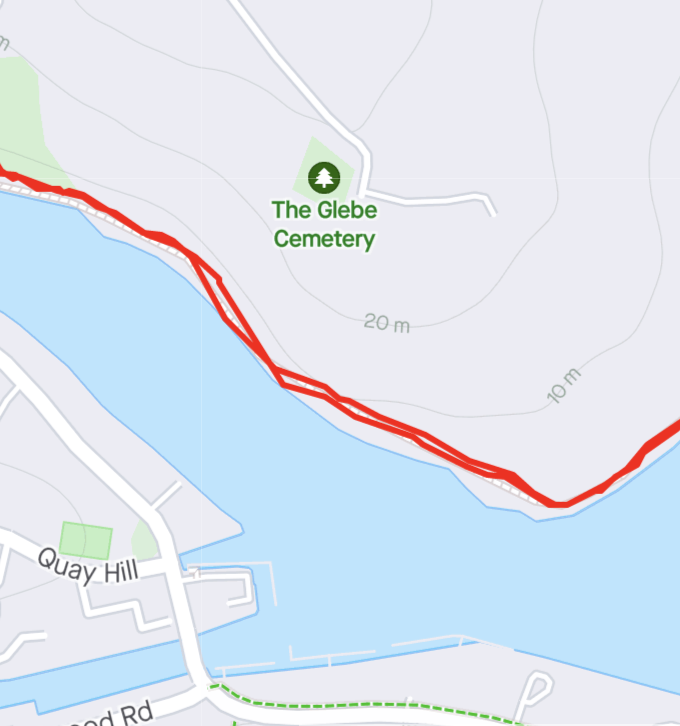
These are from two different runs along the same section of trail and back. You’d be unlikely to find any two points in both tracks that are exactly the same. Although a human can easily say they look similar enough to be considered one path, a computer cannot intuit in the same way - it needs to be told how close is close enough.
I started trying to solve this problem by writing my own solution in Javascript. I got quite far with it, but given how much data was involved, performance was a constant struggle. I eventually settled on using PostGIS (thanks, Matt). It meant I could use Postgres for implementing other features in the app, and I could lean on its battle-tested, heavily optimised code to solve the same kind of problems I was reinventing the wheel for.
Note: this can get confusing. For clarity, I will refer to the GPS track from the Strava activity as the ‘activity’ or ‘activity track’. The long distance trail will be referred to as the ‘trail’.
The images below are illustrative examples from QGIS. Apologies for how the lack of accessibility on these—they are not well optimised for this format and I do not know my way around QGIS well enough to fix it. If you know how to make them better, please let me know!
For the solution, we first need to figure out which sections of our activity are close enough to our trail to be considered as being on it. The best way I found to do this was to apply a roughly 200 metre ‘buffer’ to the trail using ST_Buffer. This creates a shape containing every point within 200 metres of the trail’s main path. Then, we can find the intersection of our activity with this buffer.
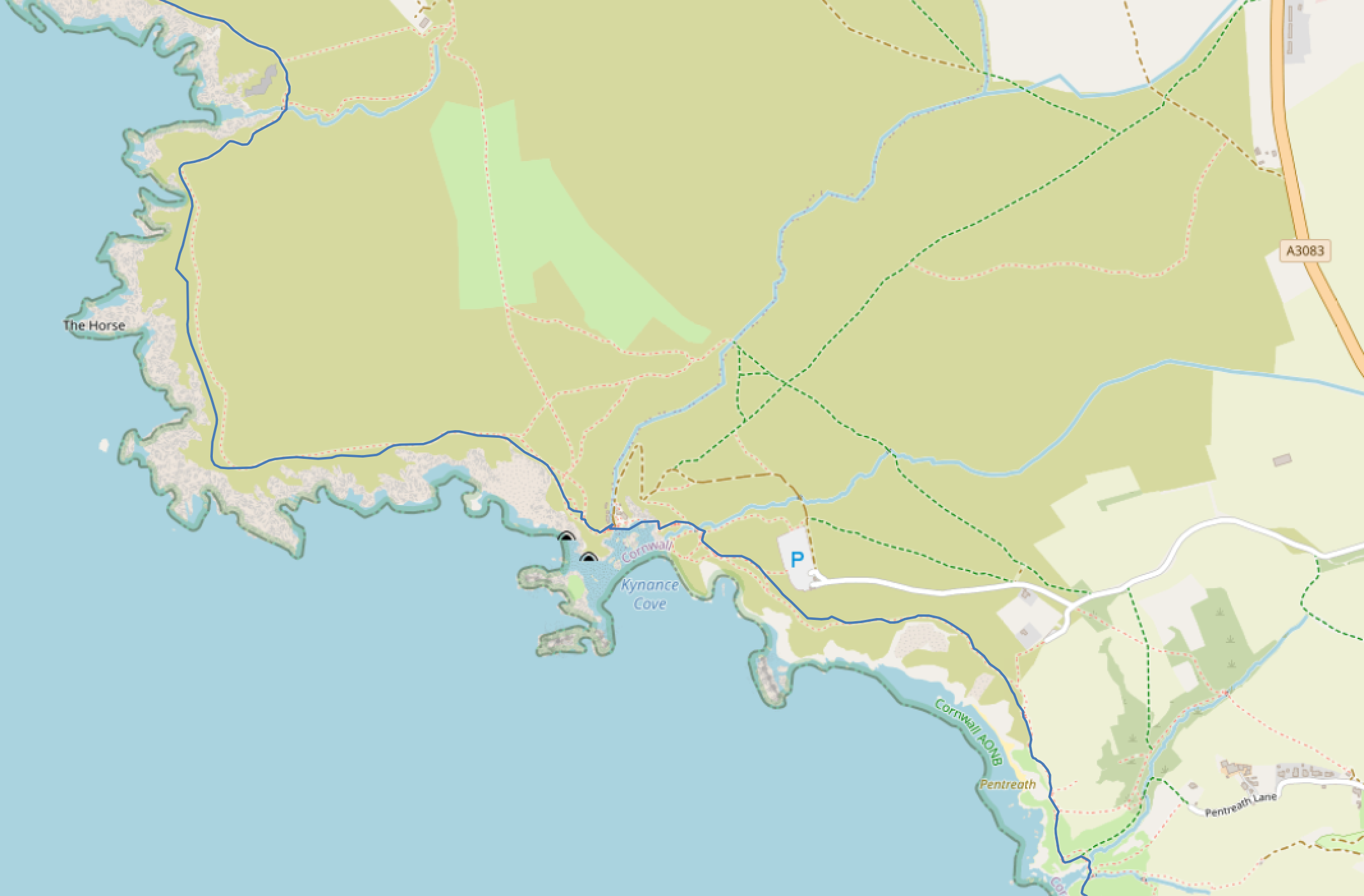
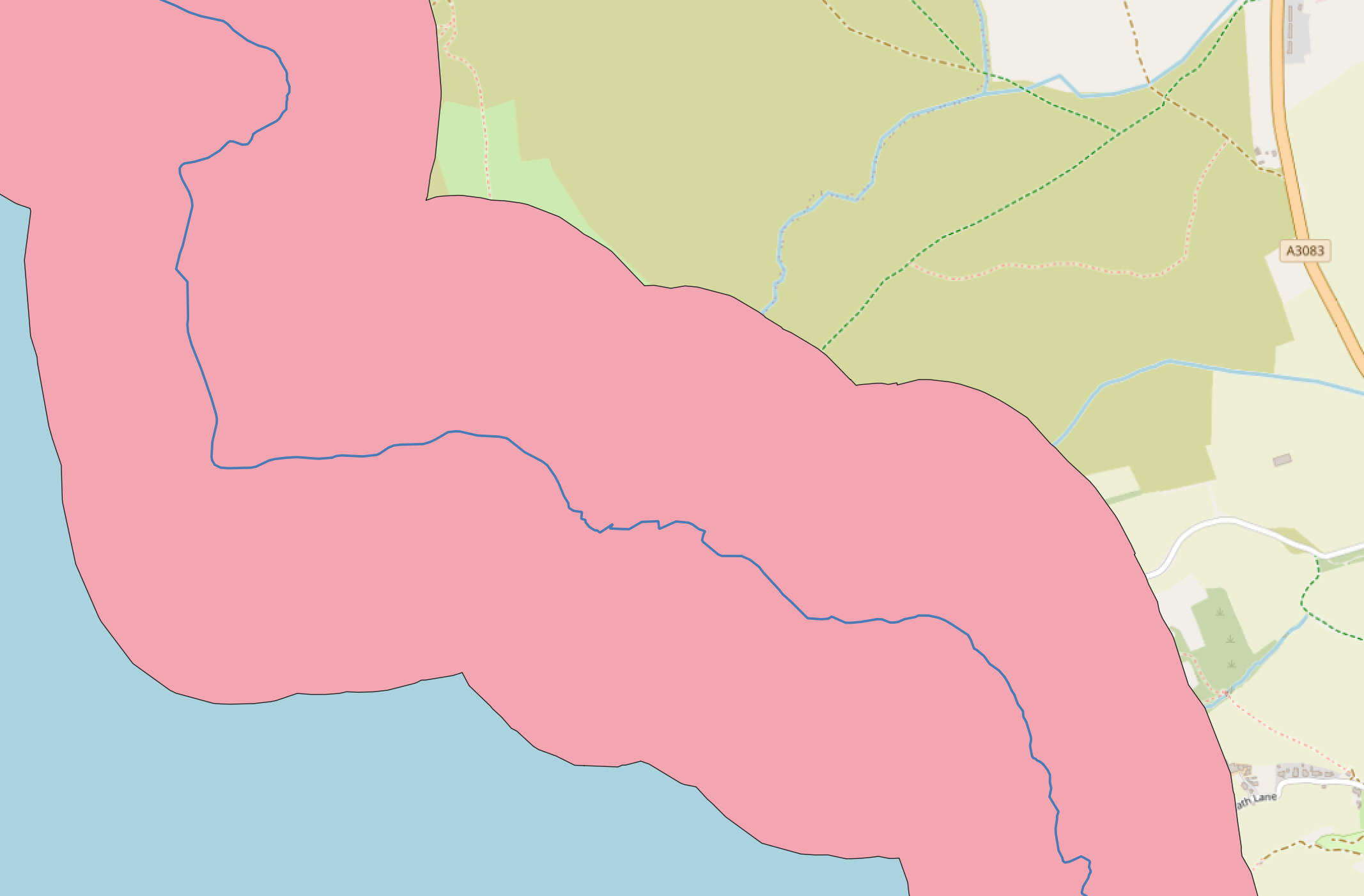
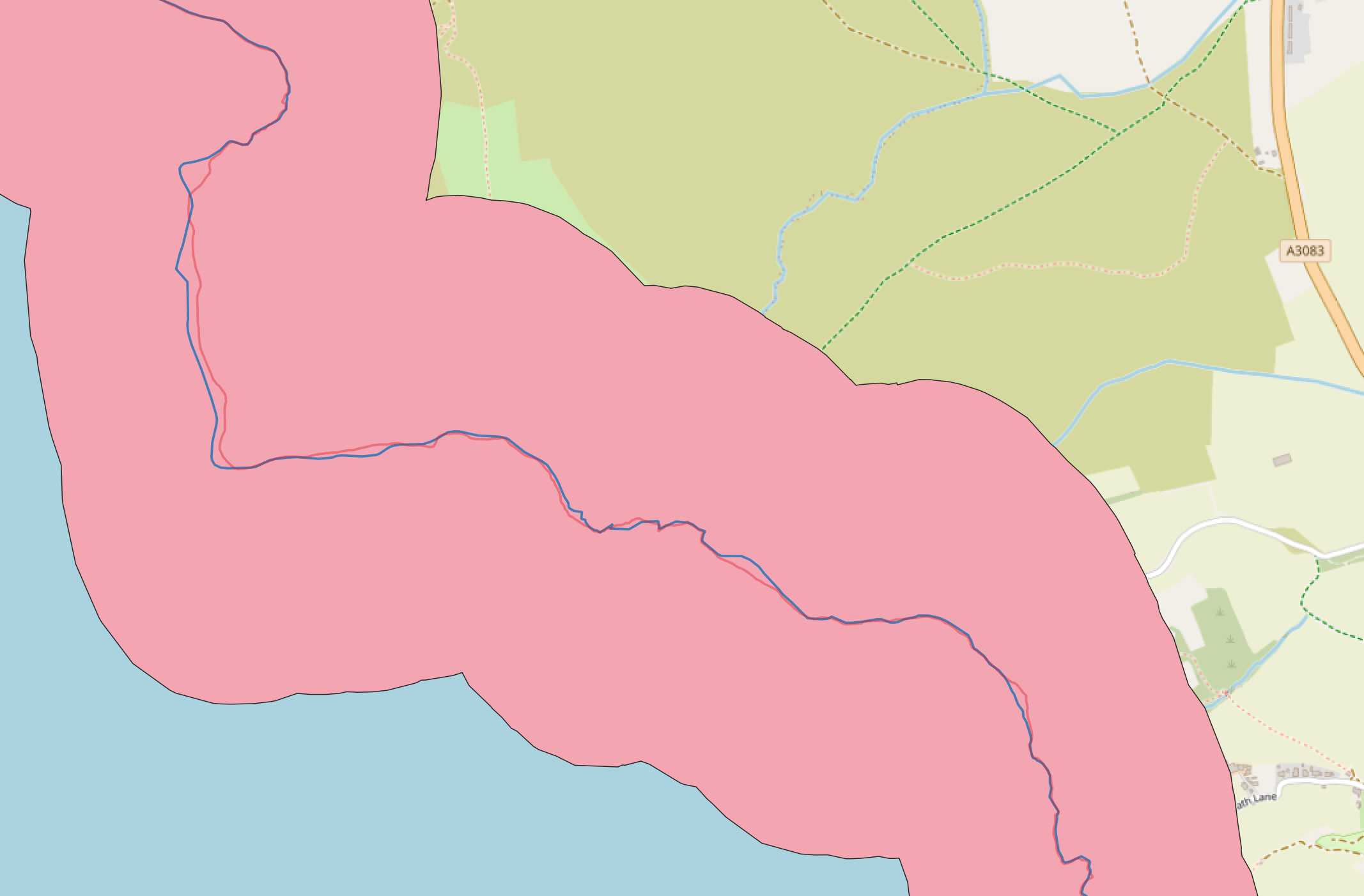
Here we can see the trail in blue, then a buffer is applied (the pink area), before looking at an activity that followed this trail (the faint red line).
This gives us back zero or more lines that follow the activity track and are also ‘close enough’ to the trail. I call these our ‘intersections’.

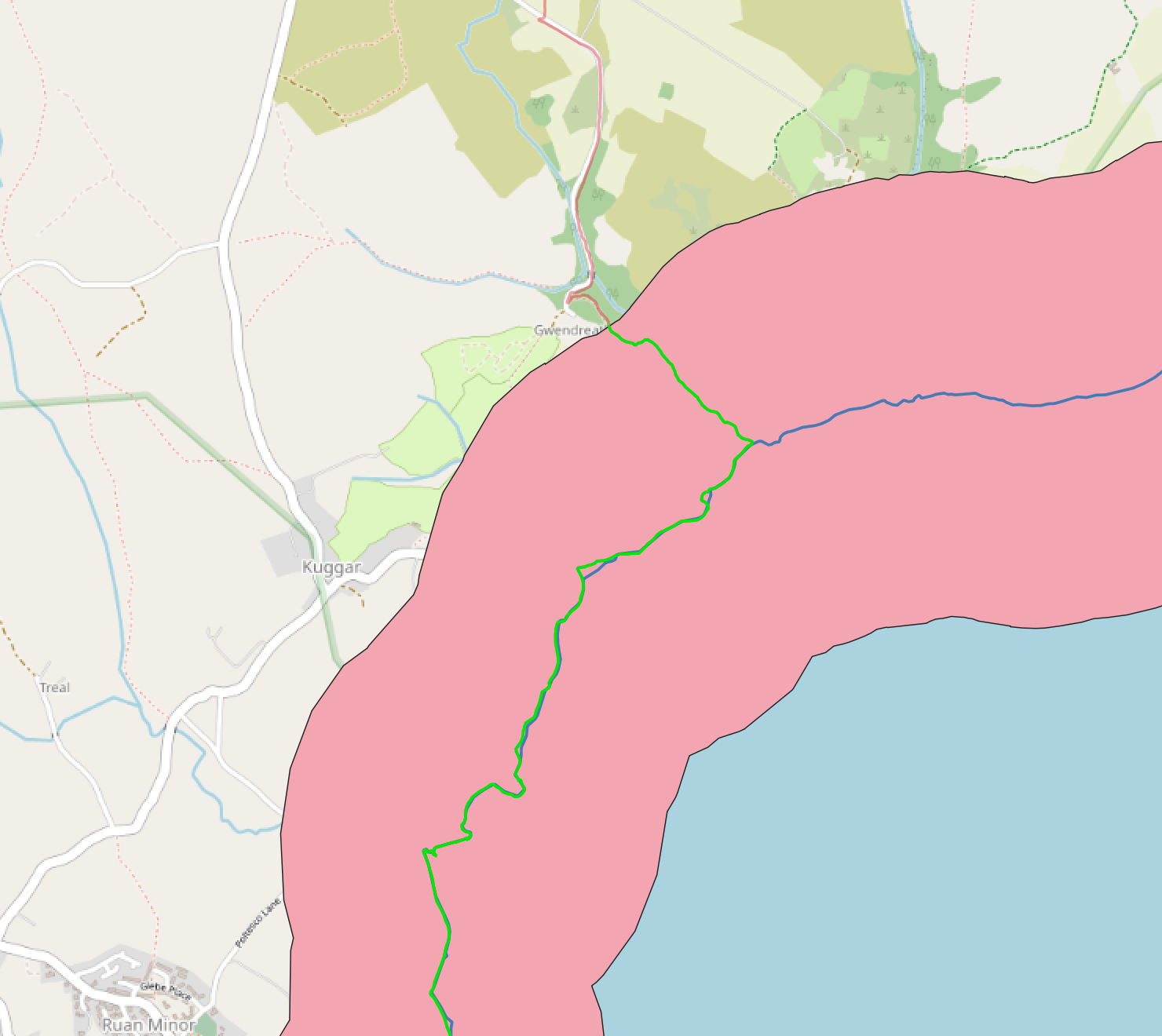
Further along, we can see where the activity track enters/leaves the buffer - this is the start/end of our intersection, which is shown in green.
For this to be useful, though, we need a way to map those sections back to sections on the trail itself. I did this using PostGIS’s ST_Boundary function to find the start and end points of each intersection. They get passed into ST_LineLocatePoint - this finds the closest points on the trail to those start/end points, and figures out how far along the trail those are, as a value from 0 to 1. Bear with me. Pairs of those values are finally passed into ST_LineSubstring, which takes a start value, an end value, and returns a line following the trail between those two points. I call these ‘visited’ sections of the trail ‘route sections’ in the code.
Yes, this is convoluted. The SQL queries I’m running to do this are horrible. It’s also relatively slow to run. I’d love to know if there is a better way to calculate all this. The one big benefit - it seems to work pretty reliably.
There are a few more optimisations I’ve skipped. For example, we first check whether each activity is even anywhere near the trail, so we can immediately rule it out if it’s not. But this is the gist of the processing that’s going on behind the scenes.
Showing it all off
So now we’ve calculated our ‘route sections’, we can finally turn it into our final result. We want two things:
- A map showing visited sections of the trail
- A headline ‘completion’ stat
Now all that processing is done, the first bit is easy. We can pass our ‘route sections’ into a mapping library. I started out using Leaflet, but later moved to Mapbox, and I got this working easily enough with both.
The latter is a little trickier. We have our route sections, but what if we’ve walked the same section of the trail multiple times? If we just add up the length of each route section, the result could be an overestimate. The answer is to use PostGIS’s ST_Union function. It effectively deduplicates our sections - it joins up all our route sections, such that if a section has been visited more than once, it will still only be counted once. Then we can just use ST_Length to get the overall length.
Roundup
We’ve only really scratched to surface of all that’s gone into Trail Tracker, but we’ve looked at some of the more interesting problems - how I managed to avoid issues with Strava’s rate limits, and how to compare GPS tracks with PostGIS.
Here are some of the other things we’ve not looked at here:
- Designing, building and deploying the app
- Learning about PostGIS, e.g. the difference between
geometeryandgeographytypes - Figuring out how to run all this processing in Supabase, trying to avoid exceeding memory and CPU limits while still getting all the processing done as quickly as possible
- The tool I built to make uploading new trails from GPX files easier
If you're interested in checking out the source code, there are three repos to check out here:
- https://github.com/kwoodhouse93/trail-progress
- https://github.com/kwoodhouse93/trail-progress-worker
- https://github.com/kwoodhouse93/trail-factory
That's all for now, thanks for reading!
✻